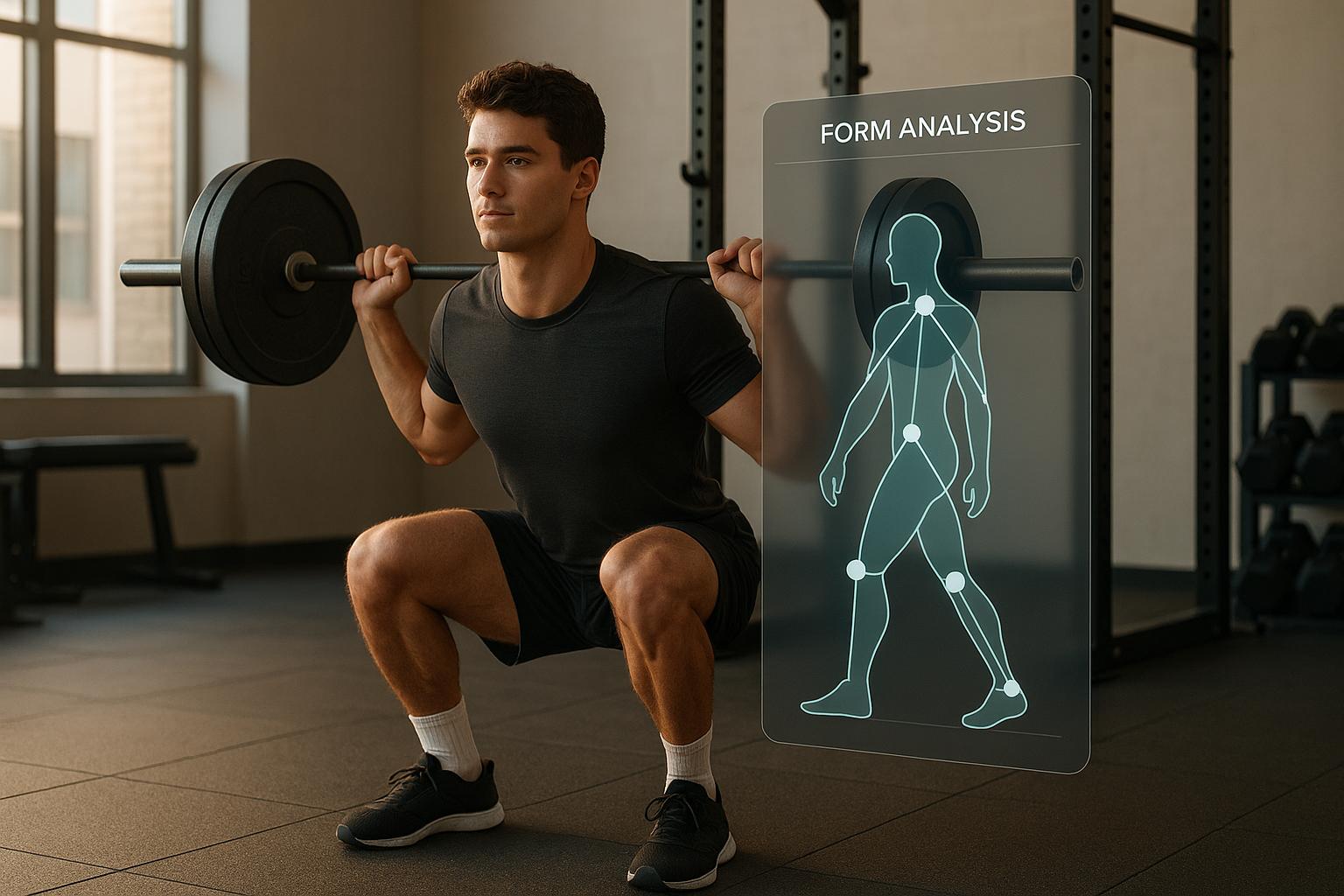
How AI Analyzes Squat, Bench, and Deadlift Form
AI can help lifters review squat, bench press and deadlift technique from a recorded video. Tools like CueForm combine visual observations with coaching feedback, identifying a point to review and an adjustment to practice. Here is how that process works.
- Video Analysis: Upload a video of your lift, and the AI maps your body’s key points to create a digital skeleton.
- Form Evaluation: It measures joint angles, bar paths, range of motion, and movement speed to detect flaws.
- Actionable Feedback: Receive clear advice to correct issues like knee valgus, poor bar path, or insufficient depth.
- Progress Tracking: Monitor improvements over time with visual data and tailored coaching.
AI offers an accessible way to review movement, but it is best used alongside context and human judgment. Camera angle, video quality and the tool’s supported movements limit what can be assessed.
Core Technologies Behind AI-Based Form Analysis
AI form analysis combines visual observations and movement measurements to produce feedback about a recorded set.
Computer Vision and Pose Estimation
At the core of AI form analysis is computer vision, a technology that enables machines to interpret visual information from videos. When you upload a video, the AI identifies and tracks key body points throughout your movement.
The process relies on pose estimation, which pinpoints key anatomical landmarks - like shoulders, elbows, wrists, hips, knees, and ankles. Using these, the AI creates a digital skeleton of your body, tracking each joint's movement frame by frame to capture your motion in detail.
The landmarks and tracking methods vary by system and exercise. Squat analysis may focus on depth and knee movement; bench press analysis on bar path and contact; deadlift analysis on setup, bar movement and lockout.
Pose models can lose track of body parts when lighting is poor, the bar or rack blocks the view, or the camera angle hides a joint. A clear, steady recording gives the analysis a better starting point.
Data Metrics and Feature Extraction
Once the AI has mapped your body’s key points, it begins analyzing your movement patterns through a process called feature extraction, which converts visual data into measurable metrics. These metrics provide detailed insights into your technique.
- Joint positions and angles help describe how visible body segments move. Camera perspective affects these measurements.
- Bar path shows how the bar moves through a rep. Interpret it in the context of the lift; one universal path or inch-based cutoff does not fit every movement.
- Range of motion helps describe squat depth or bench press chest contact when the relevant points are visible.
- Timing and speed can help compare phases and repetitions. A change in speed alone does not identify its cause.
These metrics feed into machine learning models that detect errors and suggest corrections.
Machine Learning Models in Action
Analysis systems combine observations, movement measurements and decision rules or learned models to identify possible technique issues. The implementation varies; a useful result connects its conclusion to visible evidence.
- Pattern recognition can identify recurring movement patterns across frames or repetitions.
- Classification can label a possible finding, subject to the evidence and confidence available.
- Measurement can describe a position or movement change. Precision depends on the recording and calibration; a video does not automatically establish an exact distance in inches.
Uploading a video for analysis does not mean the underlying model immediately learns from that upload. Changes to an analysis system require a separate development and evaluation process.
Feedback timing varies by product. With CueForm, upload a recorded set and allow a few minutes for processing, then review the result after the lift.
Step-by-Step Guide to AI-Based Form Analysis
Using AI for form analysis can significantly improve your lifting technique. Here's how to get started with CueForm AI.
Recording and Uploading Videos
CueForm AI makes the process easy - start by recording your lift. Ensure your video is clear and stable, with your entire body and range of motion visible. For best results, record in a well-lit area with a contrasting background, wear form-fitting clothing, and use a stable camera setup to improve joint tracking.
Upload a recorded video to the squat, bench press or deadlift form check page. Analysis takes a few minutes; CueForm does not provide live cues while you perform the set.
Analysis of Key Movement Phases
After upload, the analysis examines relevant phases of the lift, including the lowering and lifting portions where visible. The sequence differs by exercise: a deadlift usually starts with the lifting phase, while a squat or bench press starts with lowering.
Reviewing phases separately helps connect a finding to when it occurs, such as the bottom of a squat or the transition off the chest in a bench press.
Tracking confidence and video visibility affect which observations can be supported. A confidence score is a limit on interpretation, not a guarantee of accuracy.
Receiving Personalized Feedback
Once analysis is complete, CueForm presents a priority finding, supporting evidence and one cue for the next session. Follow-up chat lets you ask for clarification about the result.
Review the finding alongside your video before deciding what to practice. A form check gives you a focused starting point; an optional form report adds more detail.
Actionable Feedback and AI Coaching Features
The real strength of AI form analysis lies in its ability to take precise movement data and turn it into clear, actionable advice that can help you improve right away.
Turning Analysis into Practical Feedback
CueForm AI takes the joint angles and movement patterns it captures and translates them into straightforward, targeted recommendations. Instead of bombarding you with overly technical details, it focuses on what matters most to correct your form.
For example, a bench press finding may concern the bar’s movement through the press. The useful next step is to examine the evidence and try the suggested cue, rather than assume every bar-path change needs the same elbow adjustment.
Feedback is prioritized so you can focus on one issue at a time. The priority depends on the set and the available evidence; there is no fixed rule that the same finding always matters most.
But it doesn’t stop at just providing cues - CueForm AI also offers interactive coaching to guide you further.
Personalized Coaching and Progress Monitoring
One of CueForm AI’s standout features is its conversational AI coach. This tool allows you to dive deeper into the feedback. After your analysis, you can ask questions like why one knee moves differently or how to improve your squat depth without losing balance. The coaching adjusts to your skill level, making the advice more relevant and easier to apply.
Compare later recordings to see whether the cue changed the issue you were working on. Use similar camera angles, and account for differences in load and effort before drawing conclusions.
Real-World Feedback Scenarios
A shallow squat can be visible in a clip without revealing its cause. Review the position and your training context before attributing it to hip or ankle mobility.
For bench press stability, a finding may prompt you to review body contact with the bench or movement through the press. The cue should follow what is visible in the set.
For deadlifts, review the setup and how the hips and bar move through the pull. Hip extension opens the hip angle as you stand; feedback should not confuse that with closing the hip angle.
An apparent asymmetry may reflect the camera angle or an obscured body part. A video finding should not be treated as a diagnosis of weakness, an injury or its cause.
Benefits and Limitations of AI in Strength Training
Let’s dive into the practical upsides and challenges of using AI in strength training, building on the technical insights discussed earlier.
Key Benefits of AI Analysis
AI can provide a repeatable way to organize observations and evidence from a set. Results can still vary or be wrong, so review the footage and explanation instead of treating the output as automatically objective.
Another major perk is 24/7 accessibility. Whether you’re training at 6 AM or late at night, AI is always ready to provide feedback. This is a game-changer for people with unpredictable schedules or those who prefer training during off-peak hours when personal trainers might not be available. There’s no need to juggle schedules or pay for multiple sessions to get consistent feedback.
Movement tracking can make positions, bar movement and timing easier to review. Estimates from ordinary video should not be treated as laboratory measurements or proof that an injury will be avoided.
CueForm’s first form check is free. An optional form report costs $15, or a form block covers four reports on the same lift for $49. These give you feedback on recorded sets; they do not provide all the services of an in-person coach.
Keeping comparable recordings creates a record you can revisit. That can help you assess a specific adjustment over time.
While these benefits are impressive, it’s important to consider the current limitations of AI in this space.
Limitations to Consider
AI’s accuracy is heavily dependent on video quality. Poor lighting, improper angles, or low-resolution footage can compromise the reliability of the feedback. For the best results, the AI needs a clear view of your joints and the barbell throughout the entire range of motion.
AI may misinterpret intentional technique adjustments or miss context such as pain and an individualized rehabilitation plan. CueForm does not diagnose injury or prescribe rehabilitation; those decisions require appropriate professional assessment.
Equipment and setup variations can also pose challenges. Differences in barbell types, squat rack heights, or bench configurations might not align perfectly with the AI’s training data, potentially affecting the accuracy of its feedback for less common setups.
When it comes to complex movement nuances, AI may fall short. While it’s great at identifying major form issues, it might overlook subtle technique tweaks or sport-specific variations that experienced lifters or athletes use, such as those seen in powerlifting or Olympic weightlifting.
Another drawback is the lack of real-time correction. Unlike a human trainer who can provide immediate cues during a lift, AI feedback is only available after the set is completed. This means you can’t address form breakdowns as they happen, which could limit its usefulness during a workout.
Benefits vs. Limitations
| Benefits | Limitations |
|---|---|
| Organized observations and supporting evidence | Requires high-quality video and proper angles |
| Available anytime, no scheduling needed | Feedback isn’t real-time during sets |
| Helps review visible movement patterns | May misinterpret intentional technique adjustments |
| Free first form check with optional paid reports | Struggles with advanced or sport-specific techniques |
| Recordings can be compared over time | Can be affected by equipment and setup differences |
| Accessible from anywhere | Lacks human judgment for complex scenarios |
AI form analysis is a supporting tool for reviewing a recorded set. Combine the feedback with your training context and seek human guidance when the question goes beyond what the footage can show.
Conclusion: Improving Strength Potential with AI
AI-powered form analysis is changing the way lifters approach the squat, bench press, and deadlift - three cornerstone exercises in strength training. By using tools like computer vision, pose estimation, and machine learning, platforms such as CueForm AI are making high-quality feedback available to anyone, no matter their experience level or budget.
Reviewing joint positions, bar movement and timing can help you identify something specific to practice. The measurements and conclusions still depend on the quality of the footage and the method used.
Uploading a recorded set makes feedback accessible without coordinating a live session. Review the result when it is ready, then decide how to apply it in training.
Platforms like CueForm AI go a step further with conversational AI coaching, allowing users to ask specific questions and get tailored advice. This interactive feature makes the experience feel less mechanical and more engaging.
Use AI feedback alongside a structured training plan and human guidance where needed. A video tool can help explain visible movement, but it cannot guarantee a training outcome.
To review your own set, start a free squat form check, bench press form check or deadlift form check.
FAQs
How does video quality affect AI form analysis?
Poor lighting, blur and blocked views can make tracking and feedback unreliable. Film a steady, well-lit clip with the relevant joints and bar visible. If the evidence is insufficient, a more confident-sounding answer does not make it accurate.
Can AI adjust to training goals or recovery needs?
Training context can help make feedback relevant, but a form-analysis app does not diagnose injury or manage rehabilitation. Use CueForm to review a recorded set and ask follow-up questions about the result; discuss pain or recovery decisions with an appropriate professional.
What are the advantages of using AI alongside a human coach?
A video tool can organize observations for you and your coach to review. A coach can add context, assess whether a cue fits the person and help apply it in training. With CueForm, that discussion happens after the recorded set has been processed.