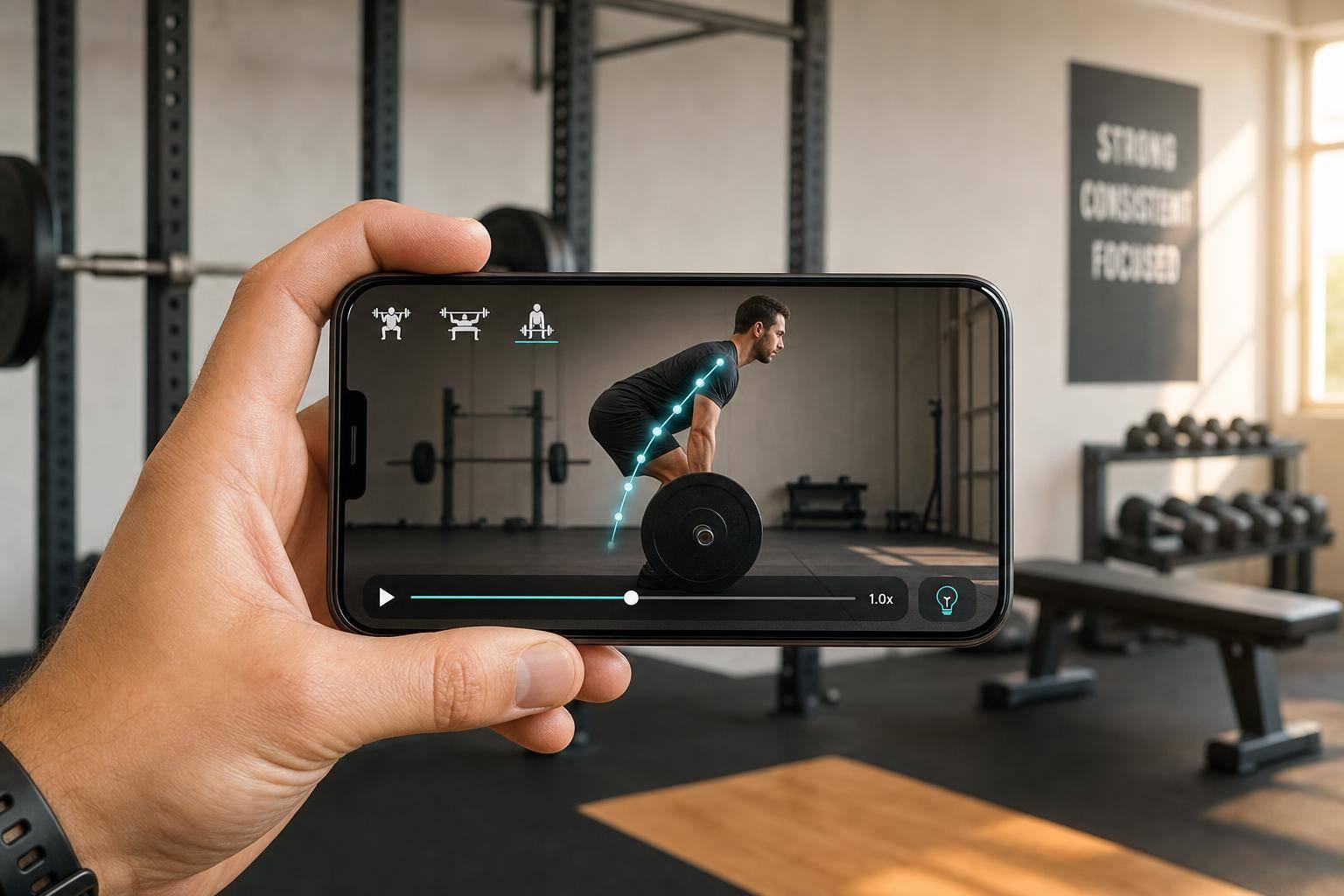
Best Bar Path Apps for Squat Bench Deadlift
For bar-path review, start with the output you need: CueForm for coaching feedback after an upload, WL Analysis for movement estimates or OnForm for manual video review. Check app identity and availability carefully: Coach’s Eye has been retired, and the MyLift and Iron Path sections below clarify mismatched sources in the earlier comparison.
Bar path review is not the same for every lift. Squat needs depth, knee position, and bar-over-midfoot checks. Bench needs touch point and press arc. Deadlift needs setup, bar-to-shin distance, and lockout. That’s why I’d judge each app by what it helps you fix, not just whether it draws a line on the screen.
Here’s the full lineup covered in the article:
- CueForm: Feedback on recorded squat, bench press and deadlift sets.
- OnForm: Manual video review and coach communication.
- Iron Path: Barbell video tracing; distinct from the Bar Path app.
- Coach’s Eye: Retired; included here for readers checking older recommendations.
- WL Analysis: Barbell tracking and estimated movement metrics.
- MyLift: The sources previously cited actually describe MyLiftingCoach; see the distinction below.
A few points stand out fast:
- Choose coaching feedback when you want a specific next-session cue.
- Choose a trace or metric overlay when you want to interpret the movement yourself.
- Use the same camera angle when comparing recordings.
- Confirm the exact app, supported devices and current availability before paying.
Quick Comparison
| App | Best for | Feedback style | Price or availability | Main limitation |
|---|---|---|---|---|
| CueForm | Feedback on squat, bench press and deadlift sets | Priority finding, evidence, cue and follow-up chat | First check free; $15 report or $49 for four reports on the same lift | Upload and a few minutes of processing |
| OnForm | Manual lift review | Playback, drawing and video comparison | Check current plan | You or a coach interpret the video |
| Iron Path | Barbell video tracing | Trace and movement charts | Legacy app; check store availability and purchases | Device compatibility and recording quality matter |
| Coach’s Eye | Historical manual-review option | Retired service | No longer a working service | Not a current recommendation |
| WL Analysis | Bar movement and metrics | Overlays and estimates | Free download with paid features; check store | Estimates need interpretation |
| MyLift / MyLiftingCoach | Verify which product you mean | MyLiftingCoach documents camera velocity tracking | Check the exact product’s current offer | Sources for one app do not validate another |
If I were choosing fast, I’d use one simple rule: pick visual review if you want to study the rep yourself, and pick AI cues if you want the app to tell you what went wrong.
Bar Path Tracking: Useful or a Waste of Time?
1. CueForm AI
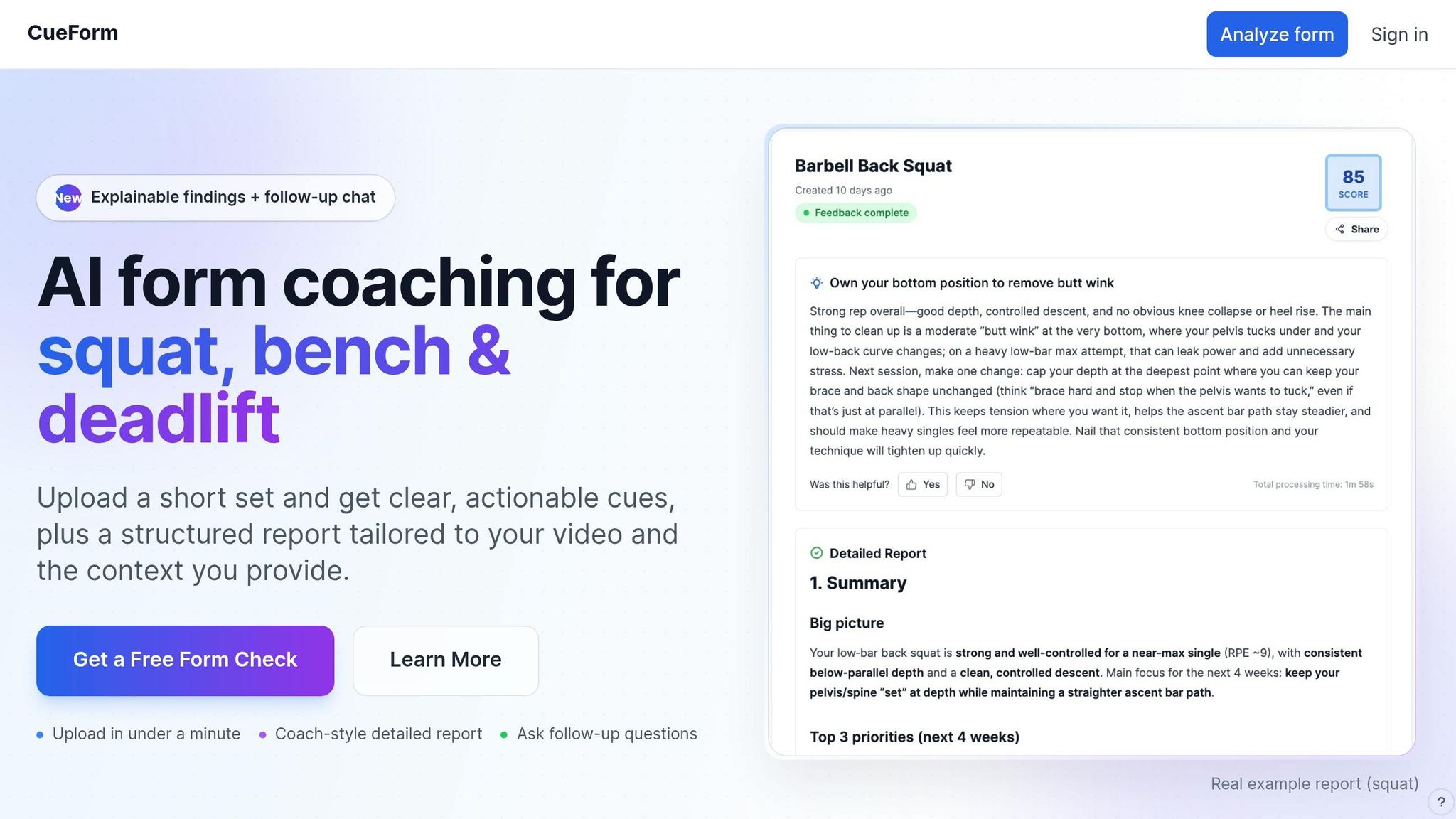
Squat, bench, and deadlift don’t break down in the same way. CueForm AI is built around that fact. It links bar path feedback to the key checkpoints for each lift, so the path trace matters only when it points to a lift-specific mistake.
Bar path tracking
CueForm links findings to evidence from the set. Interpret a bar-path observation alongside the lift and the visible body positions rather than assuming the trace alone explains the issue.
Coaching feedback
Lift-specific analysis: Squat: depth, knee tracking, and midfoot balance. Bench: touch point and press path. Deadlift: start position, bar-to-shin path, and lockout.
The feedback gives you a cue to try in a later set or session. Follow-up chat lets you ask about the finding and how to apply it. It is not live coaching during the rep.
Pick a supported lift, upload a recorded set through your browser and add context such as load, reps and effort. Processing takes a few minutes.
Your first form check is free. An optional form report costs $15, or a form block covers four reports on the same lift for $49. There is no subscription. Start a squat, bench press or deadlift form check.
2. OnForm
For lifters who want to check bar path by hand, OnForm puts video at the center of the review process. It works best for lifters and coaches who want frame-by-frame bar-path review for the squat, bench, and deadlift.
Bar path clarity
Use a side-on angle for the squat and deadlift to track whether the bar stays over the midfoot [5][4]. Use that same angle for the bench so you can see the curved bar path [5].
Lift-specific review
A squat bar that drifts forward can point to a loss of balance or a change in trunk position [6].
Review workflow
Frame-by-frame scrubbing, slow motion, and side-by-side comparison make it easier to compare squat depth, bench touch point, and deadlift lockout from rep to rep.
3. Iron Path
Iron Path by William Bishop is a barbell video-tracing app for Apple devices. The $4.99 price and reticle instructions previously cited here belonged to a different app, Bar Path by Robert Frederick.
Bar path clarity
Iron Path’s listing describes tracing barbell movement from recorded video. Check the current availability and compatibility of this older app on your device before relying on it.
Lift-specific review
A bar trace can help you examine changes in trajectory across reps. Review it alongside the lifter’s movement; a line alone does not diagnose a technique problem or its cause.
Coaching feedback
Its listing includes distance and force charts. Treat derived movement values as estimates and distinguish them from individualized coaching feedback.
Review workflow
Follow Iron Path’s own recording and analysis instructions. Do not assume instructions for the separate Bar Path app apply. Confirm the current in-app purchases in your store.
The next app shifts from tracing to broader video review and annotation.
4. Coach's Eye
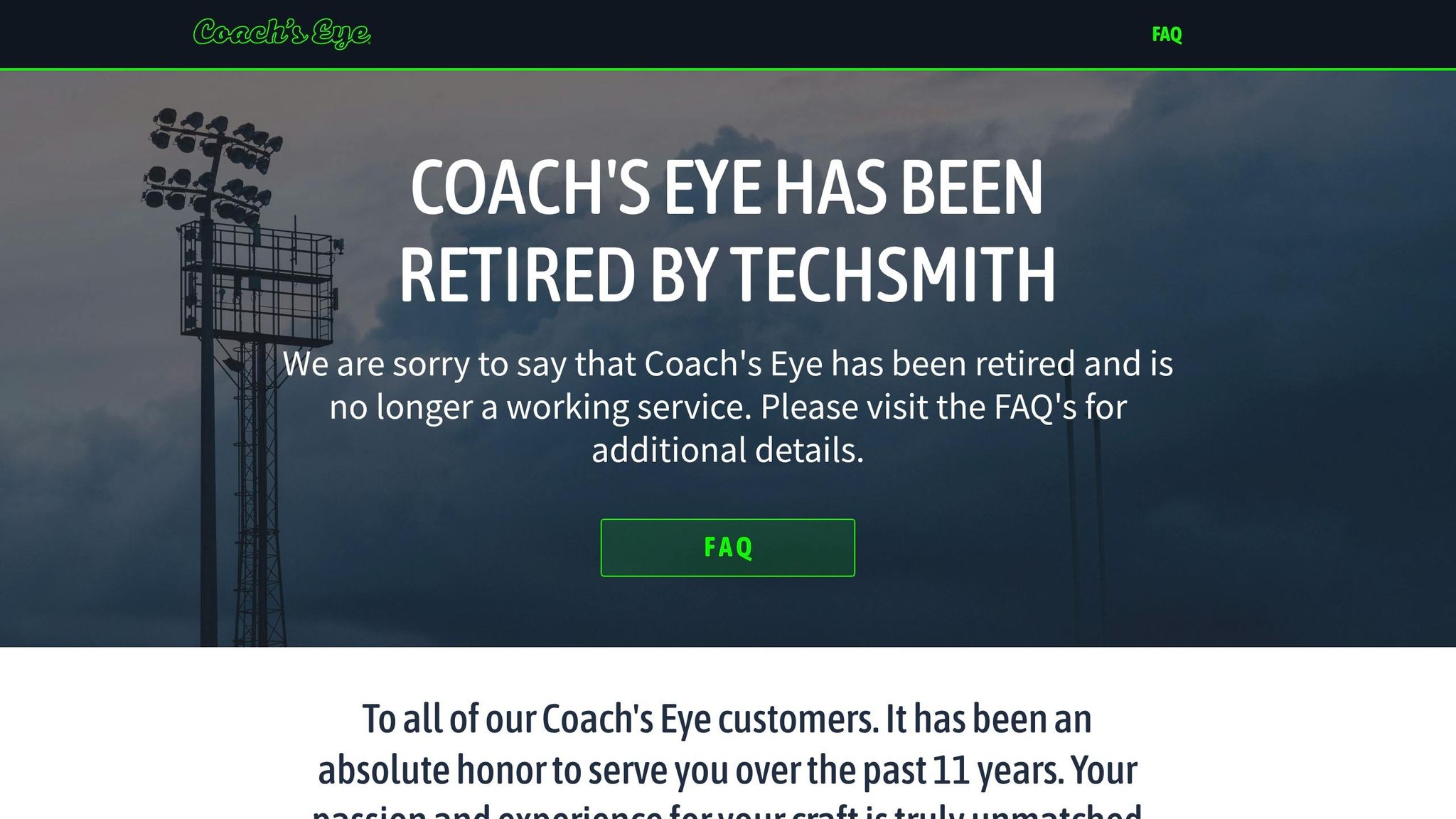
TechSmith has retired Coach’s Eye and says it is no longer a working service. It should not be selected as a new tool for bar-path review.
Bar path clarity
Coach’s Eye historically offered manual video review rather than automatic bar-path detection.
Lift-specific review
Its former playback tools were used to inspect lifts. For a current manual-review workflow, consider the OnForm section above.
Coaching feedback
Historical drawing and playback features should not be mistaken for currently available service capabilities.
Review workflow
Consult TechSmith’s retirement notice for service and account information.
5. WL Analysis
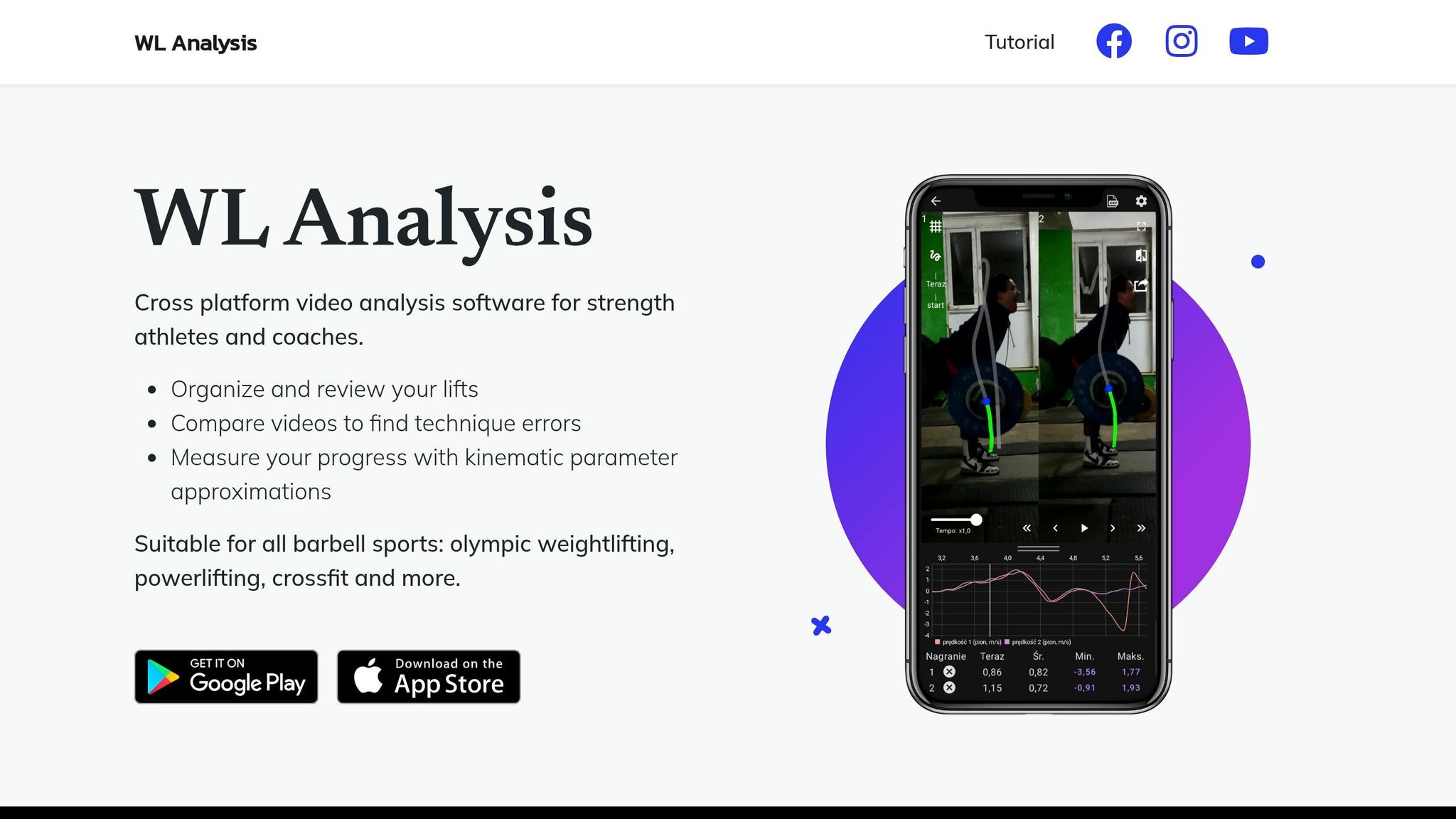
Where manual review starts to run out of steam, WL Analysis steps in with automatic tracking and numbers you can actually use. It’s the most data-heavy option in this group, with automatic bar detection and metric overlays. The app places a color-coded path over your footage using metrics like velocity, power, force, and horizontal displacement.
Bar path clarity
WL Analysis overlays can help you review bar movement across a repetition. Values such as velocity, power and force are estimates; a horizontal trace does not directly measure whole-body balance.
Lift-specific review
Compare the trace with the actual footage. For bench press, inspect the touch point and press path; for squats and deadlifts, review bar movement alongside body position. A chart alone does not establish why the bar moved.
Coaching feedback
You can export footage with the overlay baked in, or send out raw CSV data for deeper coach review. If you like comparing reps side by side, the comparison mode lets you stack two lifts and check how technique changes across sets or loads. That pairs nicely with the CSV export when you want to go beyond “that looked better” and get into the numbers. [3][7]
Review workflow
The import process has a built-in trimming slider, so you can cut dead time before the rep starts and help the tracker lock onto the lift faster. The free version includes ads. Premium removes the ads and adds comparison tools. [3]
If you want a lighter workflow, the next app strips things down even more.
6. MyLift
The sources used for the 60 fps tracking claims in this section describe MyLiftingCoach, not the My Lift app named in the research link previously attached to this heading. These products should not be treated as interchangeable.
Bar path clarity
MyLiftingCoach’s vendor documentation describes iPhone camera tracking of weight plates, a live velocity display and bar-path visualization after a set. This is a vendor-described feature set, not an independent validation of the other My Lift app.
Lift-specific review
A path display can help you compare drift and consistency between repetitions. It does not, by itself, establish squat depth, chest contact or the cause of a lockout issue.
Coaching feedback
Velocity loss can inform training decisions, but the cutoff depends on the exercise and training goal. A blanket rule to stop every session at 20% velocity loss is not appropriate for every lifter or program.
Review workflow
MyLiftingCoach’s recording guidance calls for a stable phone and a clear side view of the plates. Check that product’s current device requirements, price and privacy terms before choosing it.
Confirm the exact product name and developer when comparing velocity apps, especially when a research paper and a product page use different names.
Pros and Cons by Lift and Use Case
Use this section to match each lift to the app that fits it best. If you want the shortest path to a good pick, start with the kind of feedback you need most.
For squat depth and movement, CueForm gives findings tied to a recorded set. A bar trace can support your review, but it does not directly establish pressure distribution under the feet.
For bench touch point and press path, CueForm AI looks at chest contact and points out press-path inconsistencies. [1] WL Analysis shows the bar arc with a color-coded overlay, which makes it easier to scan fast. [3]
For deadlift setup and lockout, CueForm provides findings and follow-up chat. A tracing tool can show the bar’s route, which you or a coach can review alongside body position.
Use the table below for a quick, lift-by-lift guide.
| App | Lift or use case | Feedback | Key limitation |
|---|---|---|---|
| CueForm | Squat, bench press and deadlift findings | Coaching cues and chat after upload | Requires clear footage and processing |
| OnForm | Manual lift review | Playback and annotations | Needs your or a coach’s interpretation |
| Iron Path | Barbell video tracing | Trace and charts | Verify legacy-app compatibility |
| Coach’s Eye | Retired historical option | Service no longer working | Not available as a current service |
| WL Analysis | Bar movement across reps | Metric overlays | Estimates do not diagnose causes |
| MyLift / MyLiftingCoach | Clarify product identity first | Camera VBT described by MyLiftingCoach | Do not transfer claims between products |
The main distinction is between tools that help you inspect footage and tools that interpret a set for you. Both require clear video, and neither a trace nor a cue guarantees that a particular technique change is right for every lifter.
So what matters more to you: seeing the rep, or getting told how to clean it up? That answer usually points you to the right app fast.
Final Verdict
Pick based on what you want help with most: bar path, side-by-side review, or clear coaching notes. This is the shortest route to a solid choice for the lift that matters most to you.
For squat depth and knee movement, CueForm provides lift-specific findings. Use a consistent side view if you want to compare the bar’s movement between sets.
For bench touch point and press path, CueForm AI points out chest contact and press-path issues. [1] WL Analysis shows the bar arc with a color-coded overlay, so you can scan the rep at a glance. [3]
For deadlift setup and lockout, CueForm provides feedback after the upload, with follow-up chat for questions about the result. A bar-tracing app offers a different output that you interpret yourself.
Start with the kind of feedback you need, then check availability and device support. To get a cue from your own set, start a free squat, bench press or deadlift form check.
FAQs
Which app is best for my main lift?
Choose according to the output you need. CueForm reviews recorded squat, bench press and deadlift sets and gives a priority finding, evidence and a cue. Your first form check is free; optional reports cost $15 each or $49 for four reports on one lift.
Do I need AI feedback or manual video review?
AI feedback helps interpret visible movement and suggest a cue. Manual review gives you playback and annotation tools to study the set yourself or with a coach. Choose based on how you want to use the footage.
What camera angle works best for bar path tracking?
A steady side view is a useful starting point for squat, bench press and deadlift bar-path review. Keep the bar and relevant body positions visible through the whole set, and follow the chosen app’s specific recording instructions.